



Smarter IPTV X Pro Review: The Premier IPTV Player for 2026
Welcome to Your Site iptvlinks.Online. Today, we give you an easy way to set up the Smarter IPTV X Pro.
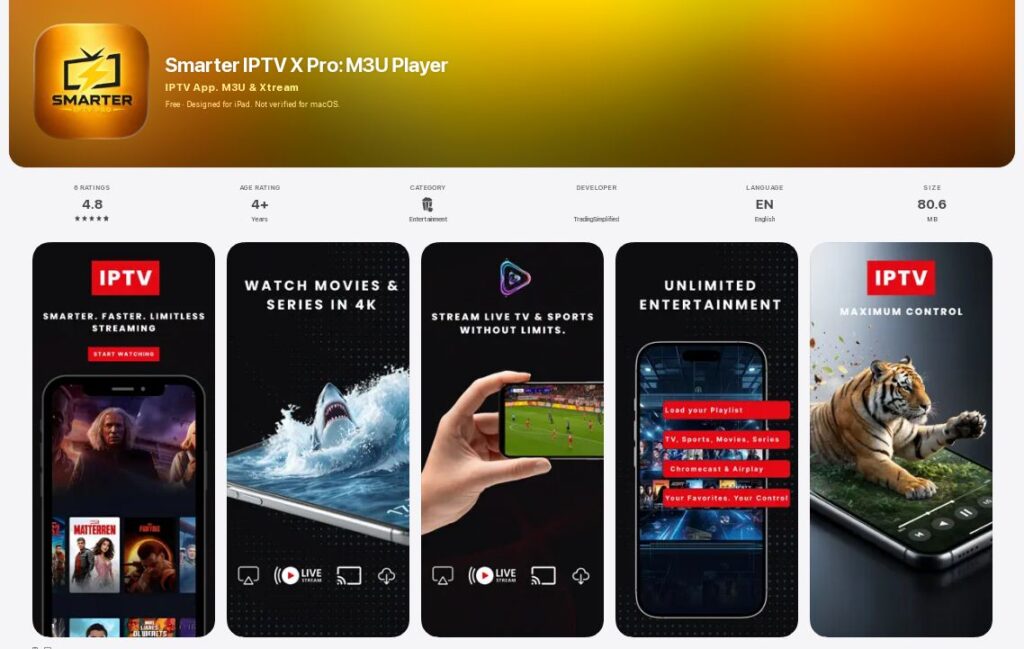

If you’re searching for a seamless way to stream live TV, movies, and series from your IPTV subscription, Smarter IPTV X Pro has emerged as one of the fastest and most reliable players available. Whether you’re using an iPhone, iPad, or Android TV, this app transforms how you consume your M3U playlists and Xtream Codes.
Here’s everything you need to know about what it is, how much it costs, how to install it, and how it works. Plus, I’ve compiled a top 10 app for IPTV list to help you explore the best options available right now.
What is Smarter IPTV X Pro?
Smarter IPTV X Pro is a premium IPTV player application designed for iOS, iPadOS, and Android TV. It’s not a content provider—it’s a powerful media player that lets you organize and stream your own IPTV playlists. You can add any M3U playlist or Xtream Codes API to access live TV channels, Video on Demand (VOD), TV series, and even catch-up content all in one place.
The app is developed by Harajuku Holdings LTD and has recently been refreshed with a new name and a bolder look. It offers a clean, ad-free experience on the player screen, with features like Picture-in-Picture (PiP) support so you can browse other parts of the app while watching your favorite show.
Key Features and How It Works
Smarter IPTV X Pro is packed with features that make it stand out from the competition. Here’s how it works and what you can expect:
-
M3U and Xtream Codes Support: Add unlimited M3U playlists or connect using the Xtream Codes API. This allows you to manage multiple subscriptions effortlessly.
-
Live TV with EPG: View real-time Electronic Program Guide (EPG) data to see what’s currently airing and what’s coming up next.
-
VOD and Series Library: Browse movies and series with a rich interface. You can search, sort, and resume watching from where you left off.
-
Offline Downloads: Download your favorite movies and series to watch offline—perfect for travel or when you have a poor internet connection.
-
Multi-Device Support: The app works seamlessly across iPhone, iPad, and Android TV boxes, giving you a unified experience across all your screens.
-
Parental Controls: Protect specific categories or channels with a PIN lock to keep adult content secure.
-
External Player Support: Not satisfied with the built-in player? You can open streams with external players like VLC or Infuse.
-
iCloud Backup and Restore: Save your playlists and settings to iCloud and restore them when you switch devices.
-
Duplicate Stream Hiding: The latest version now hides duplicate streams from the same M3U or Xtream Codes playlist, making channel discovery much faster.
How to Install and Set Up
Getting started with Smarter IPTV X Pro is straightforward:
-
Download: Search for “Smarter IPTV X Pro” on the App Store or Google Play Store.
-
Open: Launch the app on your device.
-
Add Playlist: Tap the option to add a new playlist. You can either paste an M3U URL from your IPTV provider or enter your Xtream Codes (username, password, and server URL).
-
Load Content: The app will automatically load your channels, VOD, and EPG data.
-
Enjoy: Start watching live TV, movies, or series with a smooth, high-performance player.
Pricing: How Much Does It Cost?
One of the best things about Smarter IPTV X Pro is that it’s completely free to download and use. According to the official App Store listing, the app is free, and there are no ads displayed on the player screen in the Pro+ version. This makes it an excellent choice for anyone looking for a cost-effective IPTV player without sacrificing quality.
It’s important to note that while the app is free, you’ll need to have an active IPTV subscription from a third-party provider to access any content. The app itself doesn’t include any channels or streams.
Top 10 Apps for IPTV
If you’re exploring other options or want to compare, here’s a curated list of the top 10 app for IPTV available right now. These are all reputable players that let you use your own M3U playlists or Xtream Codes.
| App | Best For | Cost | Platforms |
|---|---|---|---|
| Smarter IPTV X Pro | Fast performance & offline downloads | Free | iOS, iPadOS, Android TV |
| TiviMate | Android TV & premium IPTV | Free / ~$20/yr Premium | Android, Fire TV |
| IPTV Smarters Pro | Multi-platform subscriptions | Free | Android, iOS, Windows, Mac |
| OTT Navigator | Advanced channel management | Free / Premium upgrade | Android, Fire TV |
| GSE Smart IPTV | Phone-first IPTV & cloud playlists | Free with ads | Android, iOS |
| Perfect Player | Older/slower devices | Free / ~$5 Pro | Android, Fire TV |
| VLC Media Player | PC & Mac simplicity | Free | All platforms |
| Kodi (PVR add-on) | Full media center | Free | All platforms |
| MaxPlayer IPTV Player | All-in-one player | Free | iOS, Android |
| OttPlayer | Cross-device playlist sync | Free | Android, iOS, Web, Smart TVs |
Why Smarter IPTV X Pro Stands Out
The app has several advantages that make it a top choice:
-
Truly Free: No hidden costs or mandatory subscriptions.
-
Ad-Free Player: The Pro+ version delivers uninterrupted viewing.
-
Regular Updates: The app is actively maintained with PiP stability improvements and performance polish across HLS, RTMP, and RTSP streams.
-
Privacy-First: Smarter IPTV Pro+ does not store or sell your content. You are always in control of your playlists.
Final Verdict
Smarter IPTV X Pro is a premier IPTV player that delivers on its promises of speed and reliability. It’s free, easy to install, and loaded with features like offline downloads, parental controls, and multi-device support.
Remember, the app is a player, not a provider. To make the most of it, you’ll need a valid IPTV subscription with an M3U or Xtream Codes playlist.
Ready to try it out? You can download it directly from the Apple App Store:
Download Smarter IPTV X Pro on the App Store